



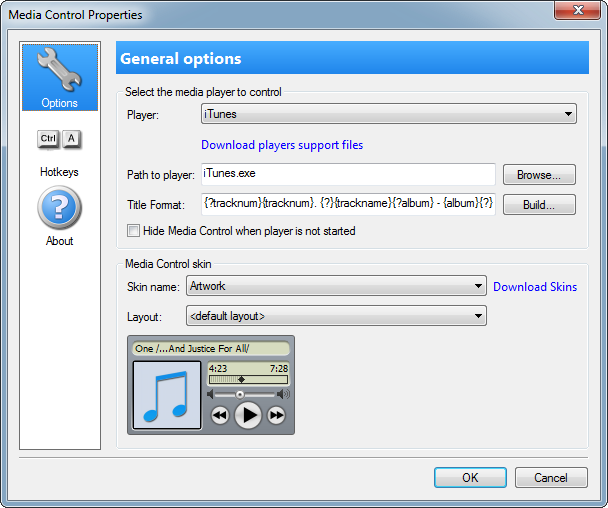
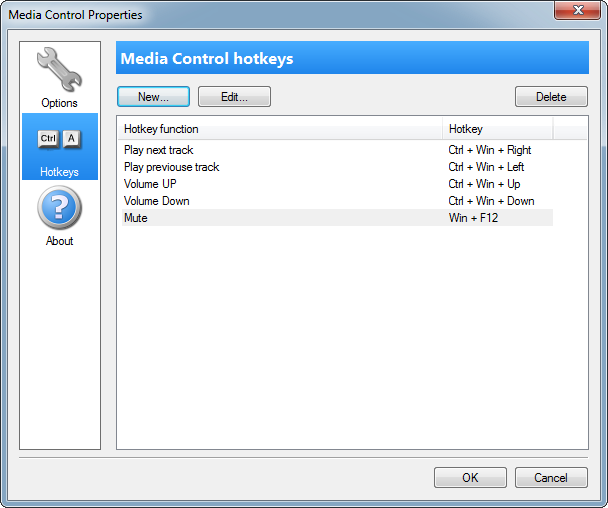
This plugin allow you to take control on your player. You can Play, Stop, Pause current track (file), Change Track and select files to play. Also this plugin can show the track information (time, song title, etc.). Time can be toggled to time remaining and time elapsed, to toggle click on time. Media Control support skins.
Supported players
To control the palyers you have to download and install the player support files:
-
 AIMP3
Download
AIMP3
Download
-
 Foobar 2000
Download
Foobar 2000
Download
-
 iTunes
built-in
iTunes
built-in
-
 J.River Media Center / Jukebox
Download
J.River Media Center / Jukebox
Download
-
 jetAudio
built-in
jetAudio
built-in
-
 MediaMonkey
Download
MediaMonkey
Download
-
 Winamp
Download
Winamp
Download
-
 Download
Winamp compatible players
Some players supports the plugins from Winamp. You can control these players with our winamp plugin. Download it and install into your player (usually copy into the Plugins subfolder of the player installation folder). The use the "Universal Player" in the Media Control plugin properties.
Custom title format
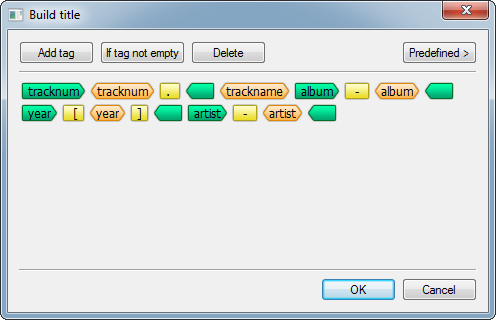
You can change the title format In the properties. The syntax is quite easy. Here is small example:
{?tracknum}{tracknum}. {?}{trackname}{?album} - {album}{?}{?year} [{year}]{?}{?artist} - {artist}{?}
This string generate the title like this:
4. The Unforgiven II - Reload [1997] - Metallica
There are two types of tags:
- The text tag - the song tag name in the braces: {trackname}
- The conditional tags - the song tag name in the braces with the question mark before name: {?album} The conditionsl tag must be closed by {?} tag. The text between conditional tags will be inserted into the title if the song tag is on empty only.
Default supported tag names:
- title
- album
- artist
- trackname
- tracktime
- genre
- year
- tracknum
How to control your player
Open the Properties dialog box for Media Control plugin and select the your player in the players list. For most players you need to select the Universal Player. If the support for your player is installed then Media Control will allow you to control it. The player support files is the add-ins for selected player. If Media Control don't see your player even after installing right support files, check your player option. Maybe you must to enable the "TLB Remote Control" plugin/add-in in the player's options.
Also you can select the path to the palyer. So Media Control will run the selected files when you press the Play button.
Download «Media Control»

Updates history
- Fixed: Media Control is always in auto-hide mode when using the old or default skins
- Fixed: Hide plugin if player is not running is not working
- Fixed: The cancel button is not working in the Edit hotkey dialog box
- Fixed: knob roller resets into zero
- Fixed: incorrect roller draw in some cases
- Added: Click the plugin by middle mouse button to start/close the player
- Added: Option "Start playing on player startup"
- Added: Some changed in the skin system to allow to make the vertical tiled animation frames
- Fixed: text is not visible on Windows XP
- Many changes in the skin system: transitions, animations, text transparency and glow